Arcade Cabinet BO2 emblem built with 11 native-shape layers

Funny - Medium

Arcade Cabinet BO2 Emblem Template

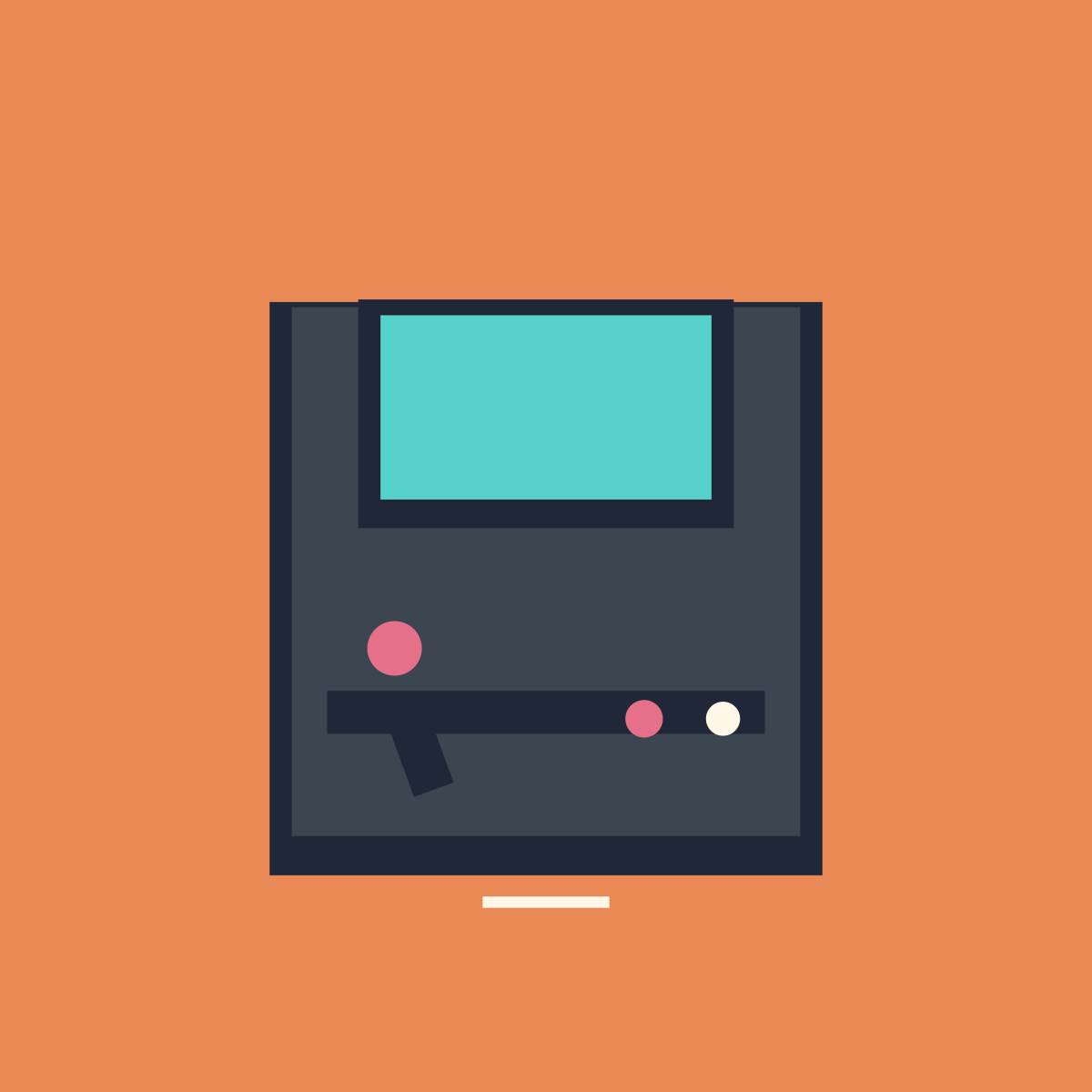
A colorful retro cabinet with a bright screen, joystick, buttons, and a small coin slot.

11native-shape layers
6design colors
Mediumdesign complexity

Layer breakdown

01Peach backgroundSquare Full
02Cabinet outlineSquare Full
03Cabinet bodySquare Full
04Screen outlineSquare Full
05ScreenSquare Full
06Control deckRectangle Medium
07Red buttonFull Circle
08White buttonFull Circle
09JoystickRectangle Medium
10Stick ballFull Circle
11Coin slotRectangle Medium

Composition

How the Arcade Cabinet design is constructed.

Arcade Cabinet is an original retro machine that uses a simple full-screen cabinet silhouette, not any game logo, title, or protected character.

Nested square modules establish the cabinet and cyan screen. The lower control deck holds a tilted joystick, two buttons, and a centered coin slot.

BO2 reconstruction status

A native-shape guide is available.

This guide uses 11 documented BO2-native shapes and shows the layer order step by step for manual reference.

The online template and exported PNG are planning references. They cannot be imported into BO2 or synchronized with a game account.

Color decisions

Why this palette works

Peach background creates contrast, dark slate forms the cabinet, cyan is reserved for the screen, and pink-cream controls provide small readable highlights.

Focal point: The glowing cyan screen anchors the upper half of the machine.

#E98955#202838#3B4650#57D2C8#E66F8A#FFF8E9

Make it yours

Three useful variations

  • Change the screen to green for an old terminal cabinet.
  • Swap the button colors for a two-player look.
  • Raise the control deck for a squat cabinet proportion.

Quality control

Common mistakes to avoid

  • Letting the screen touch the outer cabinet edge.
  • Placing the joystick ball below the deck.
  • Making the coin slot wider than the button group.

Actual template data

What every Arcade Cabinet layer contributes

  1. 01
    Peach background

    Peach background establishes the Arcade Cabinet boundary at 515 by 515 reference units. The Arcade Cabinet center sits near X 256, Y 256, keeping later layers inside this rear silhouette.

  2. 02
    Cabinet outline

    Cabinet outline occupies the Arcade Cabinet middle center region near X 256, Y 276.

  3. 03
    Cabinet body

    Cabinet body occupies the Arcade Cabinet middle center region near X 256, Y 268.

  4. 04
    Screen outline

    Screen outline occupies the Arcade Cabinet upper center region near X 256, Y 194.

  5. 05
    Screen

    Screen occupies the Arcade Cabinet upper center region near X 256, Y 191.

  6. 06
    Control deck

    Control deck occupies the Arcade Cabinet lower center region near X 256, Y 334.

  7. 07
    Red button

    Red button occupies the Arcade Cabinet lower-right region near X 302, Y 337.

  8. 08
    White button

    White button occupies the Arcade Cabinet lower-right region near X 339, Y 337.

  9. 09
    Joystick

    Joystick occupies the Arcade Cabinet lower-left region near X 196, Y 350.

  10. 10
    Stick ball

    Stick ball occupies the Arcade Cabinet middle-left region near X 185, Y 304.

  11. 11
    Coin slot

    Coin slot occupies the Arcade Cabinet lower center region near X 256, Y 423.