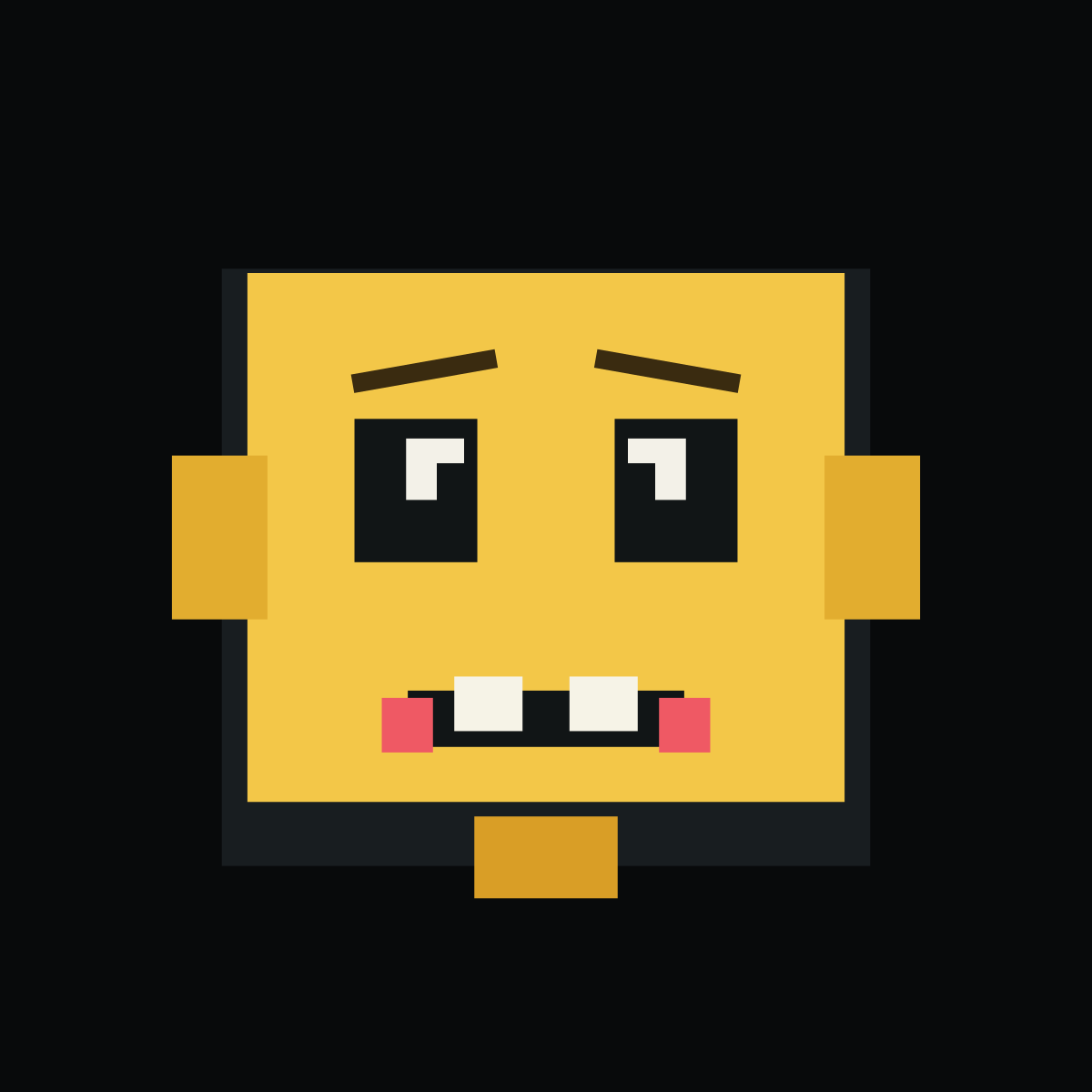
Pixel Prank BO2 emblem built with 18 native-shape layers

Funny - Easy

Pixel Prank BO2 Emblem Template

A chunky yellow prank face with crooked brows, nervous square eyes, and uneven teeth.

18native-shape layers
9design colors
Easydesign complexity

Layer breakdown

01Pixel head shadowSquare Full
02Pixel faceSquare Full
03Block ear leftSquare Full
04Block ear rightSquare Full
05Eye socket leftSquare Full
06Eye socket rightSquare Full
07Pixel eye leftSquare Full
08Pixel eye rightSquare Full
09Pupil leftSquare Full
10Pupil rightSquare Full
11MouthRectangle Medium
12Tooth leftSquare Full
13Tooth rightSquare Full
14Mouth corner leftSquare Full
15Mouth corner rightSquare Full
16Chin pixelSquare Full
17Crooked brow leftRectangle Medium
18Crooked brow rightRectangle Medium

Composition

How the Pixel Prank design is constructed.

Pixel Prank is a blocky mischievous face inspired by the visual economy of early game sprites. Its humor comes from a broad square head and an exaggerated mouth rather than a known character.

A chunky dark face contains yellow eye blocks, a central nose mass, and a pale-red mouth region. Wide horizontal spacing keeps the expression readable at very small sizes.

BO2 reconstruction status

A native-shape guide is available.

This guide uses 18 documented BO2-native shapes and shows the layer order step by step for manual reference.

The online template and exported PNG are planning references. They cannot be imported into BO2 or synchronized with a game account.

Color decisions

Why this palette works

Yellow supplies comic energy, charcoal creates the sprite body, and pale gray separates the grin. One small red or pink focus can sharpen the joke without adding complexity.

Focal point: The uneven relationship between the eyes and grin is the focal expression.

#181D20#F3C748#E2AD2F#111516#F3F1E8#F6F3E7#EF5964#D99E26#3A2B10

Make it yours

Three useful variations

  • Move one eye upward for a more confused face.
  • Change yellow to green for an arcade-monitor look.
  • Replace the grin with a straight warning mouth.

Quality control

Common mistakes to avoid

  • Smoothing the stepped silhouette.
  • Making the eyes too small to survive thumbnail size.
  • Centering every feature and removing the prank expression.

Actual template data

What every Pixel Prank layer contributes

  1. 01
    Pixel head shadow

    Pixel head shadow establishes the Pixel Prank boundary at 304 by 280 reference units. The Pixel Prank center sits near X 256, Y 266, keeping later layers inside this rear silhouette.

  2. 02
    Pixel face

    Pixel face occupies the Pixel Prank middle center region near X 256, Y 252.

  3. 03
    Block ear left

    Block ear left occupies the Pixel Prank middle-left region near X 103, Y 252.

  4. 04
    Block ear right

    Block ear right occupies the Pixel Prank middle-right region near X 409, Y 252.

  5. 05
    Eye socket left

    Eye socket left occupies the Pixel Prank middle-left region near X 195, Y 230.

  6. 06
    Eye socket right

    Eye socket right occupies the Pixel Prank middle-right region near X 317, Y 230.

  7. 07
    Pixel eye left

    Pixel eye left occupies the Pixel Prank middle-left region near X 204, Y 220.

  8. 08
    Pixel eye right

    Pixel eye right occupies the Pixel Prank middle-right region near X 308, Y 220.

  9. 09
    Pupil left

    Pupil left occupies the Pixel Prank middle-left region near X 212, Y 226.

  10. 10
    Pupil right

    Pupil right occupies the Pixel Prank middle-right region near X 300, Y 226.

  11. 11
    Mouth

    Mouth occupies the Pixel Prank lower center region near X 256, Y 337.

  12. 12
    Tooth left

    Tooth left occupies the Pixel Prank lower center region near X 229, Y 330.

  13. 13
    Tooth right

    Tooth right occupies the Pixel Prank lower center region near X 283, Y 330.

  14. 14
    Mouth corner left

    Mouth corner left occupies the Pixel Prank lower-left region near X 191, Y 340.

  15. 15
    Mouth corner right

    Mouth corner right occupies the Pixel Prank lower-right region near X 321, Y 340.

  16. 16
    Chin pixel

    Chin pixel occupies the Pixel Prank lower center region near X 256, Y 402.

  17. 17
    Crooked brow left

    Crooked brow left occupies the Pixel Prank upper-left region near X 199, Y 174.

  18. 18
    Crooked brow right

    Crooked brow right occupies the Pixel Prank upper-right region near X 313, Y 174.