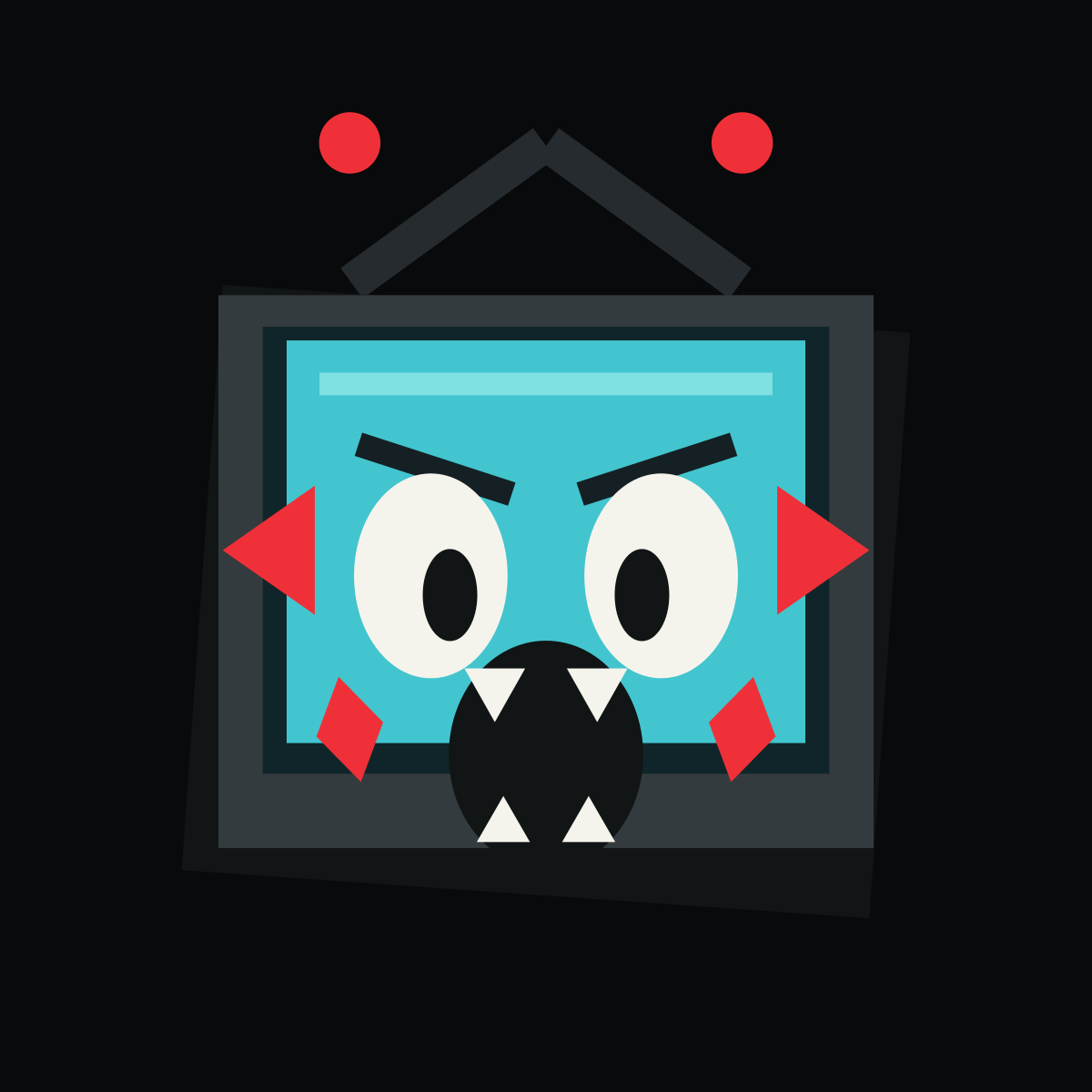
Panic Channel BO2 emblem built with 24 native-shape layers

Funny - Medium

Panic Channel BO2 Emblem Template

An original frightened television face rebuilt from five cross-checked BO2 Tools primitives.

24native-shape layers
9design colors
Mediumdesign complexity

Layer breakdown

01Left antennaRectangle Medium
02Right antennaRectangle Medium
03Left alarm tipFull Circle
04Right alarm tipFull Circle
05Television shadowSquare Full
06Television frameSquare Full
07Screen recessSquare Full
08Cyan screenSquare Full
09Screen glareRectangle Medium
10Left warning flareTriangle Wide
11Right warning flareTriangle Wide
12Left panic browRectangle Medium
13Right panic browRectangle Medium
14Left eyeFull Circle
15Right eyeFull Circle
16Left pupilFull Circle
17Right pupilFull Circle
18Open mouthFull Circle
19Upper left toothTriangle Wide
20Upper right toothTriangle Wide
21Lower left toothTriangle Wide
22Lower right toothTriangle Wide
23Left alert cheekDiamond
24Right alert cheekDiamond

Composition

How the Panic Channel design is constructed.

Panic Channel is an original frightened television mascot designed for BO2-native reconstruction rather than adapted from custom SVG artwork. The antennae and heavy frame establish the object before the oversized eyes and open mouth deliver the joke.

Two antenna pairs sit behind three nested square body layers. A cyan screen contains mirrored brows, eyes, pupils, teeth, and cheek alerts around a centered mouth, giving the expression a deliberately rigid broadcast-device frame.

BO2 reconstruction status

A native-shape guide is available.

This guide uses 24 documented BO2-native shapes and shows the layer order step by step for manual reference.

The online template and exported PNG are planning references. They cannot be imported into BO2 or synchronized with a game account.

Color decisions

Why this palette works

Charcoal defines the television and facial cavities, cyan carries the screen glow, warm white keeps the eyes and teeth readable, and red is reserved for alarm tips, side flares, and cheeks.

Focal point: The inward pupils and tall open mouth form the frightened expression.

#252B2E#EF3038#111516#343B3E#102529#42C5CE#A7F2EF#152024#F5F4EC

Make it yours

Three useful variations

  • Change cyan to sickly green for a corrupted broadcast look.
  • Rotate the pupils outward to make the character confused instead of frightened.
  • Remove the four teeth for a simpler 20-layer version.

Quality control

Common mistakes to avoid

  • Letting the screen cover the dark inner rim.
  • Placing the two pupils at different heights.
  • Making the red warning shapes larger than the face.

Actual template data

What every Panic Channel layer contributes

  1. 01
    Left antenna

    Left antenna establishes the Panic Channel boundary at 101 by 80 reference units. The Panic Channel center sits near X 210, Y 100, keeping later layers inside this rear silhouette.

  2. 02
    Right antenna

    Right antenna occupies the Panic Channel upper-right region near X 302, Y 100.

  3. 03
    Left alarm tip

    Left alarm tip occupies the Panic Channel upper-left region near X 164, Y 67.

  4. 04
    Right alarm tip

    Right alarm tip occupies the Panic Channel upper-right region near X 348, Y 67.

  5. 05
    Television shadow

    Television shadow occupies the Panic Channel middle center region near X 256, Y 282.

  6. 06
    Television frame

    Television frame occupies the Panic Channel middle center region near X 256, Y 268.

  7. 07
    Screen recess

    Screen recess occupies the Panic Channel middle center region near X 256, Y 258.

  8. 08
    Cyan screen

    Cyan screen occupies the Panic Channel middle center region near X 256, Y 254.

  9. 09
    Screen glare

    Screen glare occupies the Panic Channel upper center region near X 256, Y 180.

  10. 10
    Left warning flare

    Left warning flare occupies the Panic Channel middle-left region near X 126, Y 258.

  11. 11
    Right warning flare

    Right warning flare occupies the Panic Channel middle-right region near X 386, Y 258.

  12. 12
    Left panic brow

    Left panic brow occupies the Panic Channel middle-left region near X 204, Y 220.

  13. 13
    Right panic brow

    Right panic brow occupies the Panic Channel middle-right region near X 308, Y 220.

  14. 14
    Left eye

    Left eye occupies the Panic Channel middle-left region near X 202, Y 270.

  15. 15
    Right eye

    Right eye occupies the Panic Channel middle-right region near X 310, Y 270.

  16. 16
    Left pupil

    Left pupil occupies the Panic Channel middle-left region near X 211, Y 279.

  17. 17
    Right pupil

    Right pupil occupies the Panic Channel middle-right region near X 301, Y 279.

  18. 18
    Open mouth

    Open mouth occupies the Panic Channel lower center region near X 256, Y 354.

  19. 19
    Upper left tooth

    Upper left tooth occupies the Panic Channel lower center region near X 232, Y 326.

  20. 20
    Upper right tooth

    Upper right tooth occupies the Panic Channel lower center region near X 280, Y 326.

  21. 21
    Lower left tooth

    Lower left tooth occupies the Panic Channel lower center region near X 236, Y 384.

  22. 22
    Lower right tooth

    Lower right tooth occupies the Panic Channel lower center region near X 276, Y 384.

  23. 23
    Left alert cheek

    Left alert cheek occupies the Panic Channel lower-left region near X 164, Y 342.

  24. 24
    Right alert cheek

    Right alert cheek occupies the Panic Channel lower-right region near X 348, Y 342.